Shopify Agentic Storefront Setup: The Complete Visibility Guide.

Wholesale Just Became Accessible to Every Shopify Merchant on the Planet — And Most Don't Know Yet
On March 24, 2026, Shopify flipped a switch that quietly enrolled millions of stores into ChatGPT, Microsoft Copilot, Google AI Mode, and the Gemini app — all at once, with no opt-in required. This guide covers Shopify agentic storefront setup and optimization end to end: what actually happened, what it means for your revenue, and the exact steps that separate enrolled merchants from visible ones. Enrollment and visibility are two different things. The gap between them is where your competitors are eating your lunch right now.
- Shopify Agentic Storefronts went live by default for eligible US merchants, connecting roughly 5.6 million stores to ChatGPT's 900 million weekly users plus Copilot, Google AI Mode, and Gemini. You're already enrolled — but enrollment doesn't mean your products are visible.
- Each AI channel behaves differently. ChatGPT is a discovery-referrer that sends buyers to your store checkout. Copilot and Google AI Mode support native Shopify-powered checkout inside the conversation.
- No extra Shopify transaction fees beyond standard processing. OpenAI charges a 4% fee on ChatGPT-sourced sales; Google AI Mode and Copilot charge nothing. Merchants remain merchant of record and keep customer data ownership. Opting out of direct checkout does NOT make your products invisible — they still appear like traditional search listings.
- Four data failures suppress most merchants: vague branded product titles, missing GTINs and Google Product Categories, incomplete schema markup, and blocked AI crawlers. 80% of stores that fix the top three see improvements within 10 days.
- Proper Shopify agentic storefront setup and optimization hinges on the Knowledge Base App, semantic product data, and attribution tracking inside the admin. AI-driven orders grew 15x YoY in 2025. Gartner projects 20% of transactions through AI platforms by 2030.
Table of Contents
- What Shopify Agentic Storefronts Actually Are
- How Each AI Channel Works Differently
- The Opt-Out Controversy and Data Trade-Offs
- The 4 Reasons Your Products Aren't Showing Up
- How to Set Up and Optimize Your Agentic Storefront
- Attribution, Orders, and Search Intelligence in the Admin
- Summary
- Frequently Asked Questions
Most merchants reading their email last spring missed the single most important Shopify announcement of the decade. No launch banner. No required action. Just millions of stores quietly wired into the AI systems where buyers are now doing product research. If you're running a Shopify store and haven't checked whether your products actually appear in AI results, you should check whether your products are actually visible in AI results before reading another word.
What Shopify Agentic Storefronts Actually Are (And Why You're Already In)
Agentic Storefronts are Shopify's single-setup pipeline that syndicates your catalog to ChatGPT, Microsoft Copilot, AI Mode in Google Search, and the Gemini app — managed centrally from the Shopify Admin. No separate integrations. No apps. No extra Shopify fees beyond standard processing — though OpenAI charges a 4% fee on ChatGPT-sourced sales. Orders flow into your admin with referral attribution. You remain merchant of record.
The default rollout: what happened and what it means for your store
Starting in spring 2026, Shopify announced that millions of merchants could sell to ChatGPT users via Agentic Storefronts, with products becoming discoverable by default. According to reporting from Paz.ai, the activation on March 24 connected roughly 5.6 million US stores to ChatGPT's 900 million weekly active users in one move, along with Copilot and Google AI Mode.
The rollout was default-on. That's the part most coverage buried. If you run an eligible US Shopify store, your products are already being considered by AI agents for relevant queries — whether or not your data is ready for them to find you.
Why enrollment and visibility are not the same thing
This is the central tension of the entire rollout. Being enrolled means Shopify is syndicating your catalog to AI channels. Being visible means AI agents can actually match your products to the natural-language queries real buyers are typing. Those two states have a wide gap between them, and that gap is where most merchants are losing.
The scale of the opportunity
AI-driven orders grew 15x year-over-year in 2025, per Shopify's Enterprise Blog citing Gartner. Gartner also predicts that by 2030, 20% of all transactions will execute through AI platforms — either via on-platform checkout or AI agents. This isn't a future shift. It's an active migration. The Universal Commerce Protocol that underpins it already has endorsements from Walmart, Target, Etsy, American Express, Mastercard, Stripe, and Visa, and will soon power checkout inside some Meta experiences.
How Each AI Channel Works Differently (And Why It Matters for Your Strategy)
ChatGPT is a discovery-referrer. Copilot and Google AI Mode support native in-conversation checkout. Gemini is in the mix but behaves distinctly. Treating them as one channel is the fastest way to misread your attribution and misconfigure your setup.
ChatGPT: discovery-referrer model
Per Shopify's Help Center, ChatGPT acts as a discovery-focused referrer. A user asks ChatGPT for a product, ChatGPT surfaces candidates, and the buyer completes the purchase on your online store checkout — either inside ChatGPT's in-app browser or in a new tab when using ChatGPT on the web. The funnel is: AI discovery → your checkout. Your conversion page still matters enormously.
Microsoft Copilot and Google AI Mode: native embedded checkout
For other agentic storefronts with direct purchasing activated, Shopify documents that customers can complete their purchases inside the channel's Shopify-powered built-in checkout without leaving their conversation. This is a fundamentally different funnel. The buyer never lands on your site. Your product data, pricing, policies, and post-purchase experience all need to be dialed in before the click — because there isn't a "click to store" at all.
Gemini and the broader channel set
Gemini is part of the default channel set Shopify syndicates to. Merchants should treat it as an active surface and monitor attribution as the experience evolves. The core point: one setup, four distinct behaviors.
Why you'd toggle a channel off
Per the Winter '26 Edition, you can toggle AI platforms on or off individually to choose which channels you sell in. Reasons to toggle off include regulated product categories, brand-experience concerns with native checkout, or attribution cleanliness during a testing window. Don't toggle off out of fear. Toggle off for a specific, measurable reason.
The Opt-Out Controversy and Data Trade-Offs No One Is Talking About
Default-on enrollment is the part that made merchants uncomfortable. Here's what that actually means. Your existing customer data is not being dumped into AI channels. Per Shopify's Help Center, AI channels receive access to product data plus customer and order data necessary for completing transactions — but only for orders originating from AI channel conversations.
What data gets shared — and what stays yours
The shared scope: product titles, descriptions, images, pricing, availability, and for transacting customers, name, email, phone, and physical address. The critical qualifier from Shopify's documentation: AI channels access order details and customer information only for orders originating from AI channel conversations. Your legacy customer list is not part of the deal.
Opting out of direct checkout vs. opting out of discoverability
This is the nuance every merchant should memorize. Per Shopify Help Center: even when you opt out of direct selling with Shopify's agentic storefronts, your products can still be found in AI channels in the same way they're listed in traditional search engines. Opting out of native checkout is not the same as disappearing. If you want to stay discoverable but route all buyers through your own checkout, you can.
Who you remain
You stay merchant of record. You retain customer-relationship ownership. You keep standard processing economics on Shopify's side — no extra Shopify fees on top for the AI channel itself, per Shopify News. Note that OpenAI charges a 4% fee on ChatGPT sales; Google AI Mode and Copilot charge nothing.
The 4 Reasons Your Products Aren't Showing Up in AI Results
Paz.ai's diagnostic breakdown identifies four recurring failure modes suppressing product visibility inside AI channels. If your enrollment is active but your attribution is flat, you are almost certainly hitting one or more of these. Before fixing anything, check whether your products are actually visible in AI results so you know which failure mode applies to your catalog.
Failure #1: Branded product titles AI agents can't interpret
If your product is called "The Luna" instead of "Organic Cotton Sleep Mask," ChatGPT has no idea what it is. AI agents match products to natural-language queries, not brand-coined SKUs. Every product title needs to describe the thing in the words a buyer would actually use.
Failure #2: Missing GTINs and Google Product Category data
Incomplete feed data is one of Paz.ai's four root causes. Missing GTINs and Google Product Category assignments leave AI agents with ambiguous products they can't confidently surface. These are structured fields. Fill them.
Failure #3: Incomplete or absent schema markup
Only 18% of e-commerce product pages have complete schema markup, according to data cited by Paz.ai. Without schema, AI agents can't parse your product attributes, pricing, or availability with confidence. That's 82% of stores leaving themselves ambiguous to the systems now deciding what gets recommended.
Failure #4: Blocked AI crawlers
The silent killer. If your robots.txt or CDN is blocking AI crawlers, you've locked the door to the systems now driving 15x YoY order growth in this category. This is a configuration issue, not a content issue — and it often originates from a well-meaning SEO tweak someone made years ago.
Per Paz.ai, 80% of brands that fix the top three issues see improvements within 10 days. The remediation window is short and the feedback loop is fast.
How to Set Up and Optimize Your Agentic Storefront (Step-by-Step)
Proper Shopify agentic storefront setup and optimization is not a toggle — it's a catalog overhaul. Here's the full executable path.
Step 1: Verify eligibility and locate Agentic Storefronts in Shopify Admin
Open Shopify Admin. Navigate to your Sales Channels. Locate Agentic Storefronts. Confirm that your store region is eligible (the March 2026 rollout targeted eligible US merchants first).
Step 2: Enable Shopify Catalog and select your AI channels
Per the Winter '26 Edition: set up once and Shopify Catalog will syndicate your products to AI chats everywhere. Toggle the specific AI platforms on or off individually based on your strategy. Start with all channels on unless you have a specific reason to exclude one.
Step 3: Fix your product data
Rewrite product titles so they describe the product in natural language. Populate GTINs. Assign Google Product Categories. Rewrite descriptions for semantic retrieval — meaning plain, descriptive language an AI can match to a buyer's actual question. Doing this across a large catalog by hand is where most merchants stall. Nexus SEO is built to optimize your product catalog for semantic AI retrieval systematically across thousands of SKUs.
Step 4: Implement and validate schema markup
Ensure Product schema is present and complete on every product page: name, description, image, brand, offers, price, availability, GTIN, and review data. Validate with a schema checker before moving on. If only 18% of stores have complete schema, completing yours is one of the highest-leverage moves available.
Step 5: Set up the Knowledge Base App
Per Shopify's Winter '26 Edition: track your policies, FAQs, and brand voice via the Knowledge Base App so agents have the right answers to key customer questions in every conversation. This is the single most underused lever in the entire rollout. Your Knowledge Base is what AI agents quote when buyers ask about shipping, returns, sizing, materials, or anything else that sits outside the product feed. Nexus exists specifically to build and maintain your AI brand intelligence — the brand voice, FAQ corpus, and policy library AI agents actually pull from.
Step 6: Activate direct checkout and configure restricted categories
For Copilot and Google AI Mode, decide whether to activate direct purchasing. Review any category-specific restrictions (regulated goods, age-gated products). Confirm your tax, shipping, and inventory configurations are clean — because on native-checkout channels there's no site visit to catch a broken rate.
Attribution, Orders, and Search Intelligence in the Admin
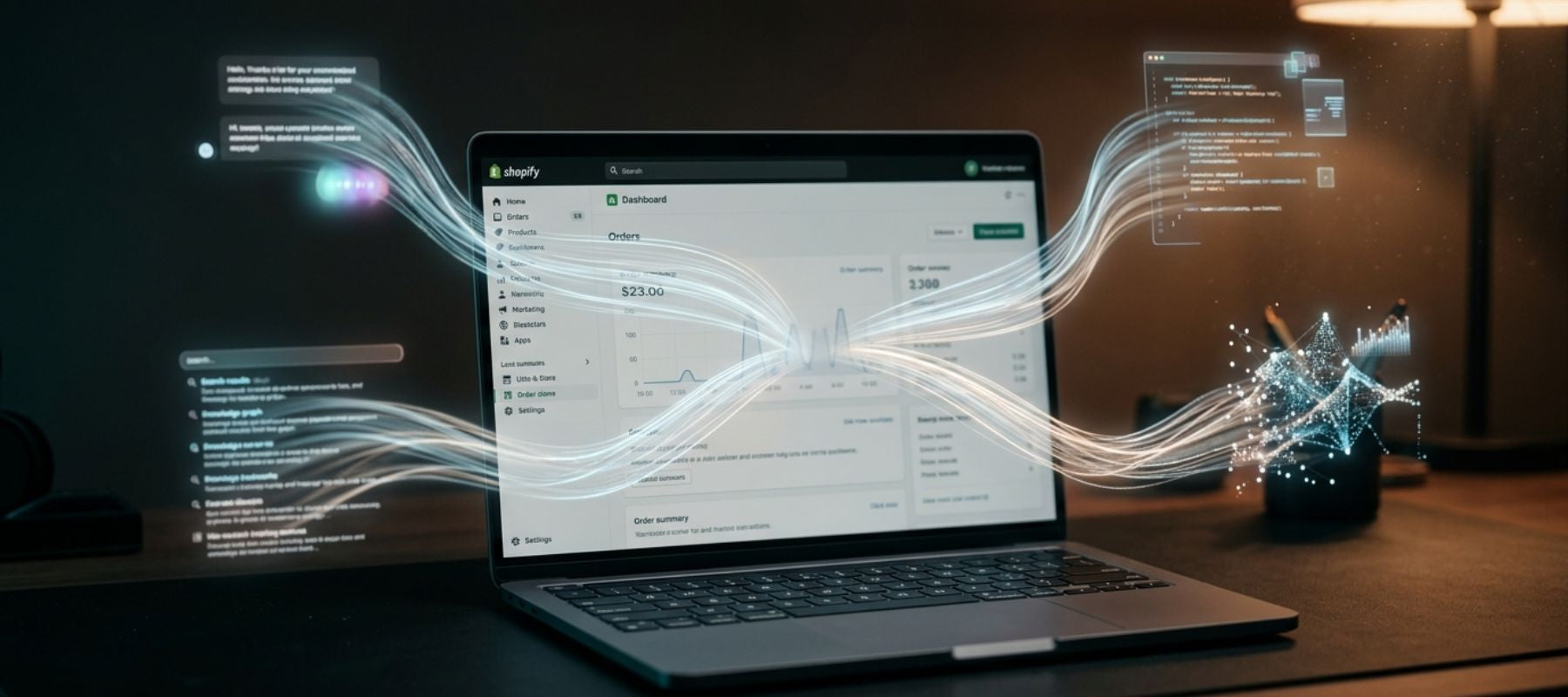
If you can't measure it, you can't iterate. Per Shopify's Winter '26 Edition, orders flow into your admin with full AI channel attribution, plus insights into search trends and topics customers are asking about.
Reading your AI channel attribution dashboard
Every AI-sourced order carries its referral channel. ChatGPT referrals, Copilot conversions, Google AI Mode orders — each segmented so you can see which surfaces are actually moving revenue. Watch for imbalances. A store pulling strong ChatGPT referrals but zero Copilot attribution likely has a direct-checkout configuration gap.
Using search trend and topic data
Per Shopify News, merchants now get insight into the topics customers are asking about. That's a direct signal back into your product title strategy, your description rewrites, and your Knowledge Base App content. If buyers are asking about "waterproof hiking boots for wide feet" and your titles say "The Summit 3," the feedback loop is telling you exactly what to fix.
How to separate AI-channel revenue in your reporting
Use the channel attribution in admin as the source of truth. Cross-reference with your existing analytics stack. Don't try to force AI-channel traffic into a last-click model it was never designed for — these channels change the shape of the funnel, and your reporting needs to reflect that. If you want to master your full Shopify channel strategy including how Agentic Storefronts fits alongside your organic, paid, and email channels, that's where the operator-level work lives.
One more thing worth noting: per Shopify's Enterprise Blog, non-Shopify brands can access all AI channels via the Agentic Plan without migrating their existing platform. Connect a product feed, configure checkout, and you're live. The moat is narrower than most assume.
Summary
- Shopify Agentic Storefronts went live default-on for eligible US merchants, connecting millions of stores to ChatGPT, Copilot, Google AI Mode, and Gemini from a single admin setup with no added Shopify fees. OpenAI charges a 4% fee on ChatGPT sales; Google AI Mode and Copilot do not.
- ChatGPT is a discovery-referrer — buyers complete checkout on your store. Copilot and Google AI Mode support native Shopify-powered checkout inside the conversation, which reshapes your funnel.
- Opting out of direct checkout does not make you invisible. Products still appear in AI discovery the same way they show up in traditional search engines.
- Shared data is scoped to what's transactionally necessary, only for orders originating from AI channel conversations. You remain merchant of record.
- The four leading causes of AI invisibility: vague branded product titles, missing GTINs and Google Product Categories, incomplete schema markup, and blocked AI crawlers. 80% of fixes show results within 10 days.
- The Knowledge Base App controls what AI agents say about your brand, policies, and FAQs across every channel simultaneously — the most underused lever in the rollout.
- AI-driven orders grew 15x YoY in 2025. Gartner projects 20% of transactions through AI platforms by 2030. The optimization window is open right now.
- Non-Shopify merchants can access all AI channels via the Agentic Plan without migrating — the opportunity extends beyond the existing Shopify base.
Frequently Asked Questions
Are my Shopify products already showing up in ChatGPT without me doing anything?
If you're an eligible US merchant, your store was auto-enrolled in Agentic Storefronts during the March 2026 rollout, meaning your catalog is being syndicated. But enrollment doesn't mean visibility — if your product titles, GTINs, Google Product Categories, or schema markup are incomplete, AI agents can't confidently surface your products.
How do I opt out of Shopify Agentic Storefronts without removing my products from AI search results?
You can opt out of direct checkout inside the admin while staying discoverable. Per Shopify's Help Center, even when you opt out of direct selling, your products can still be found in AI channels the same way they appear in traditional search engines. Toggling off native checkout is not the same as disappearing.
What is the difference between ChatGPT and Copilot for Shopify selling — do customers check out differently?
Yes, the funnels are different. ChatGPT is a discovery-referrer: buyers finish the purchase on your online store checkout via in-app browser or new tab. Copilot and Google AI Mode support native Shopify-powered checkout inside the conversation, so the buyer never leaves the channel.
Does Shopify charge extra transaction fees for sales made through ChatGPT or Copilot?
Shopify does not charge extra fees beyond standard processing rates. However, OpenAI charges merchants a 4% fee on ChatGPT-sourced sales. Google AI Mode and Microsoft Copilot do not charge additional fees. Orders flow into your admin with AI channel referral attribution, and you remain merchant of record.
Why are my products enrolled in Agentic Storefronts but not showing up in AI search results?
Four common failure modes: branded product titles AI agents can't interpret, incomplete feed data like missing GTINs and Google Product Categories, incomplete schema markup (only 18% of e-commerce pages have complete schema), and blocked AI crawlers. Per Paz.ai, 80% of brands that fix the top three see improvements within 10 days.
Related Reading
- AI Commerce Is Live on Shopify — 33% of Stores Haven't Even Started
- ChatGPT Is Now Recommending Products — Is Your Shopify Store Visible?
- How to Optimize Thousands of Shopify Product Listings Without Losing Your Mind
Sources
- Shopify News — Agentic Storefronts launch announcement
- Shopify Help Center — Agentic Storefronts setup and configuration
- Shopify Winter '26 Edition — AI commerce feature announcements
- Shopify Enterprise Blog — AI-driven order growth and merchant access
- Paz.ai — Four failure modes suppressing product visibility in AI channels
- Gartner — 2030 forecast: 20% of transactions via AI platforms
- OpenAI — ChatGPT commerce features and weekly active users
- Microsoft Copilot — Agentic shopping integration with Shopify
- Google Blog — AI Mode and shopping experience rollout
- Universal Commerce Protocol — Endorsements and adoption overview
- Schema.org — Product schema markup specification